Running the docks
The rest of the day, handled.
Slips and boat rentals are the big jobs. A marina also runs on a hundred small ones: the broken dock light, the boat in the wrong slip, the notice about the water being off, the inspector’s logbook. We built tools for those too.
A dock walk, start to finish. 2:32
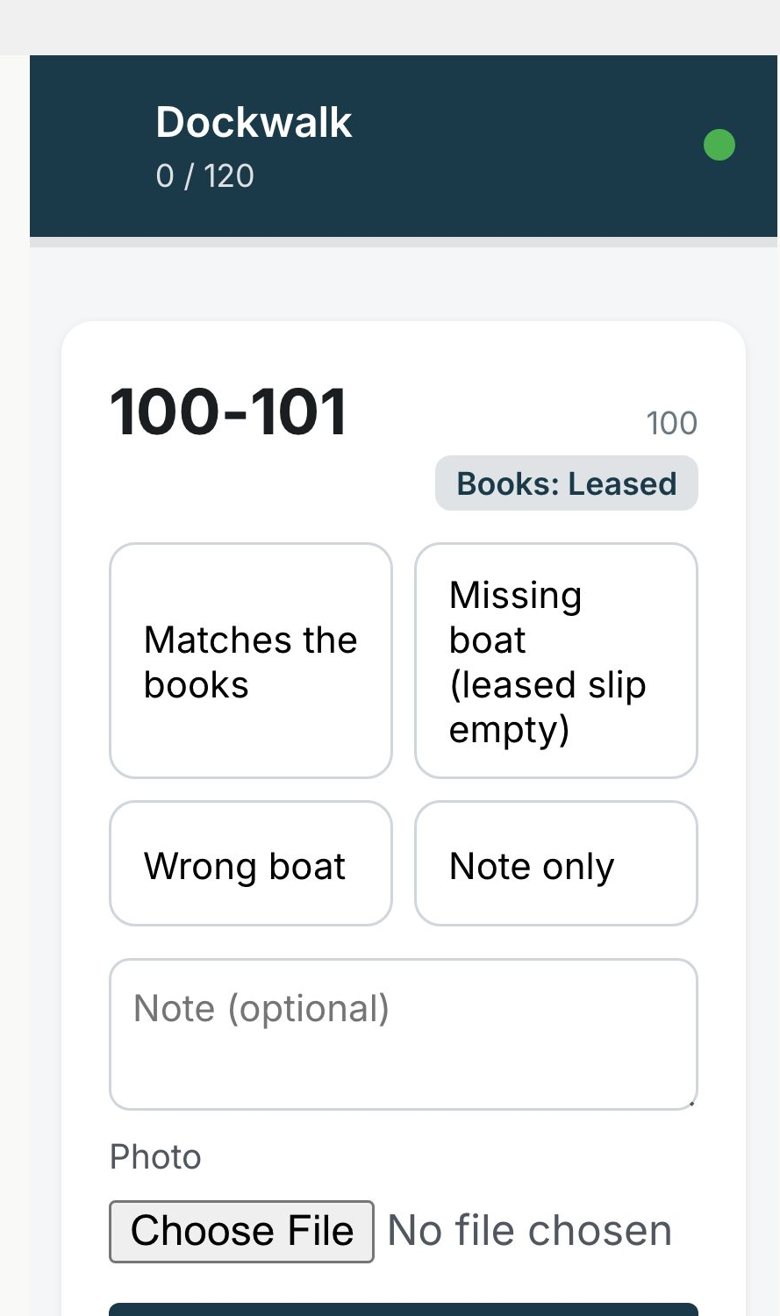
Walk the docks and find the boats you aren't billing.
Your harbor master walks slip by slip with a phone and taps what they see: the right boat, an empty slip, the wrong boat, or a note with a photo. If the signal drops at the end of B dock, it catches up when it’s back.
Afterwards you get a list of every mismatch. A boat sitting in a slip with no lease becomes an urgent job and an email to your dockmaster, because that’s money tied up at your dock.
Work orders, from request to fixed. 2:29
Work orders that don't get lost.
Requests come in from your staff and from tenants’ phones, with photos and the slip attached. Give each one a priority and a person, and they’re emailed. Everyone can see where it stands, from new to fixed, so nobody has to ask.
Tell the right people, in one go.
Send a message to one tenant, one dock, a row of slips or everyone with a lease, by email, in their portal, or both. You see how many people it will reach and exactly how it looks before you press send.
“The water will be off on B dock Tuesday from 9 to noon.” Written once, read by everyone who needs it.
Sending a message to tenants. 2:35
Little rules that do the remembering.
Teach Field Guide Marina your habits once and it keeps them for you. When something happens, it does what you would have done.
- When insurance lapsesemail the tenant and tag them
- 30 days before a lease endssend your personal note
- When a slip openstell the office
- When a boat rental is paidsend your welcome-aboard email
Groups and automatic rules. 3:12
Reports and the activity log. 2:50
The numbers, without the spreadsheet.
How full you are, by dock. Which slips are open. Who owes money and for how long. What you billed this month and over the last year. How the boat rentals are doing. All on one page, always up to date.
And a record of who changed what, and when, for the day someone asks.
Built for freshwater rules.
Inland marinas answer to their own inspectors. Keep the records in the same place as your slips, with reminders to your staff before anything comes due.
- Clean Marina certification, with a self-check
- A pump-out log that totals the gallons for the year
- Fuel dock and stormwater inspection logs
- A fuel spill log
- A private place for permits, plans and certificates
Your staff, set up right.
Owners see everything. Staff get what they need for the day, without the settings they could break. Switch off the parts you don’t use and they disappear from the menus. Every screen has a Help button, and there are short videos for each part, so a new hire in May can find their way on day one.
Setting up your team. 2:46
Questions owners ask
- Is the dock walk an app we install?
- No. It’s a page your harbor master opens on their phone, signed in like everything else. If signal drops mid-walk, it saves their taps and catches up when it’s back. Photos need signal to upload.
- Can the rules send text messages?
- Not today. Rules send emails and portal messages, add tags and leave notes on a tenant’s record.
- Who sees the reports?
- You and the staff you choose. Tenants and renters never see them.
See a day at the marina on it.
We’ll walk through a dock walk, a work order and a message to tenants on our demo marina.